Built to a higher standard.
Bluehall is a live, one-on-one tutor for your dependent. They can talk, interact and learn with our tutor any time any day any where, with a full educational platform around it built to support them. We know that school work is not always the most exciting for students and they can sometimes stray, so we have built Bluehall to give parents/guardians access to monitor the progress of their dependent.
Why it works.
From the outset of building Bluehall we were well aware of the rhetoric around using AI in education, and of the generic startups offering rudimentary chatbot style help only. So we built our tutor to provide structured and thorough learning to our users, the opposite of what a chatbot provides.
The research on AI tutoring, whilst limited, is clear that the results come from how a tutor is designed, not from the novelty of the technology.
A recent Harvard randomised controlled trial found that a carefully designed AI tutor could outperform a strong in-class active-learning session, and the authors put that down to the teaching design rather than the AI itself. In that study the tutor never simply handed over answers. It guided students through a problem one step at a time, gave feedback aimed at their specific mistakes, and kept them doing the thinking. You can read the study here.
A general chatbot that just gives the answer skips every one of those steps, which is the main reason it does not teach anyone anything. We built Bluehall around the same principles the research points to, so we offer 3 modes of tutoring, which you can control your dependent’s access to via your parent dashboard.
Tutor led
Led by: the tutor
Recommended for learning a new topic, or when you’re not sure where to start.
- The most hands-on, proactive mode — the tutor takes the role of a teacher.
- Builds the concept through interactive, lecture-style back-and-forth that keeps the learner engaged.
- Works toward a goal: it sets a plan for what to teach or accomplish, then adapts that plan as the session unfolds.
- Teaches rather than hands over answers — it directs the session and keeps the learner on task.
Parent dashboard
When signing up to Bluehall, a user can sign up on their own and then choose to link their account to a parent account. Or, if you have already created a parent account, you can sign up a dependent through your account. For more on signing up a dependent through your account, click here.
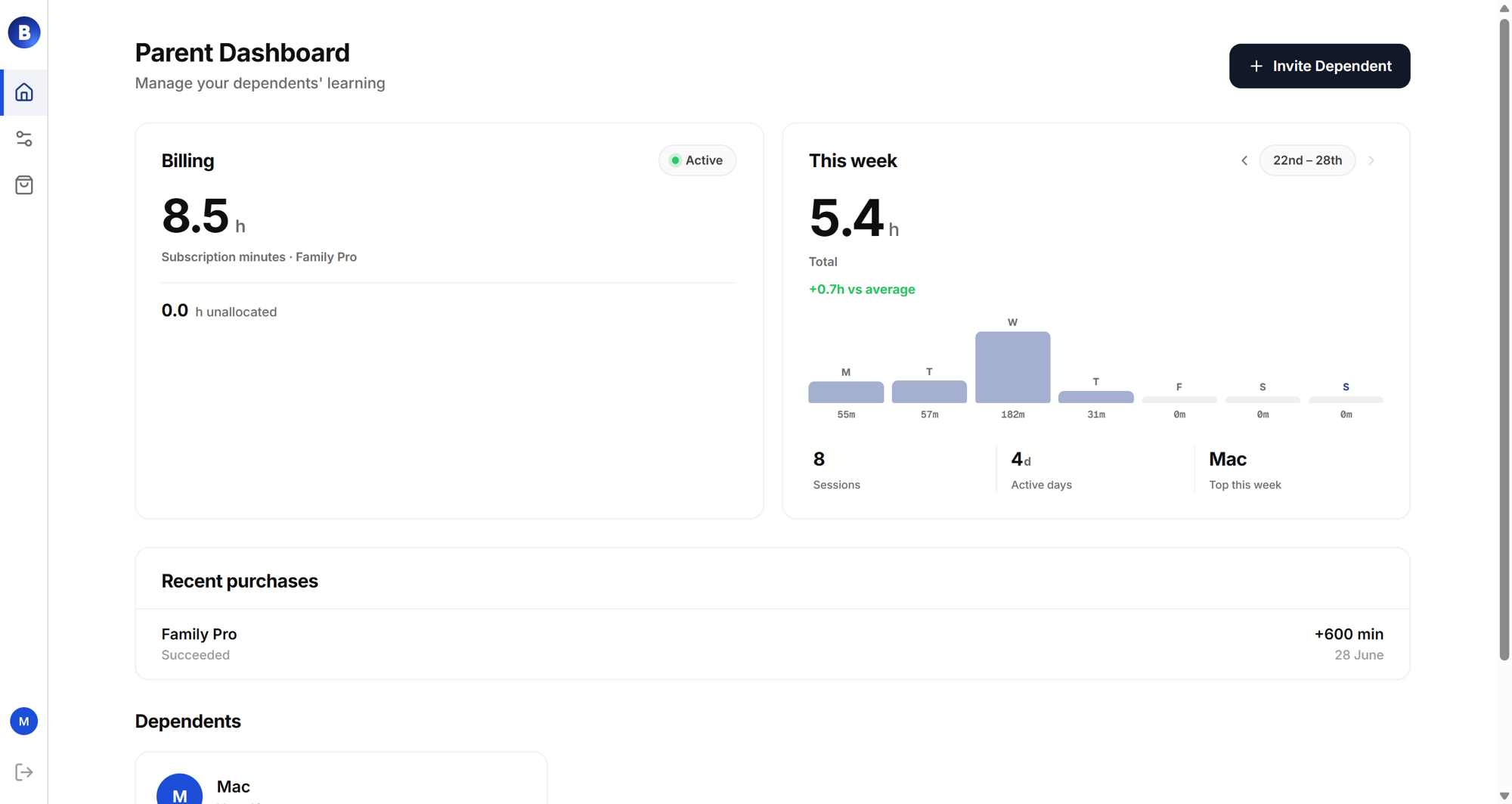
What you can do from the parent dashboard:
- Access all past session information. Receive optional summaries and reviews of sessions and progress.
- Manage payments for dependents.
- Manage permissions.
- View their calendar, notes and goals, as well as the follow-up revision and study plan generated for each student.